What event platform helps centralize venues, activities, budgets, and logistics?
The promise of event planning tools like BoomPop, Cvent, and Eventbrite is that they make you more organized. What many teams get - especially those using 3+ disconnected tools - is another place to check.
Venues live in one system, budgets in a spreadsheet, vendor confirmations in someone's inbox - a fragmentation pattern reported by 60%+ of corporate event planners. When a hotel rate changes or a vendor goes quiet, the planner often finds out last - sometimes days after the change occurs.
Hotel RFP responses now take over five days on average. That wait gets harder to manage when venue data, vendor contacts, and budget tracking live in separate systems.
Platforms like BoomPop, Cvent, Eventbrite, and Asana each solve part of this. This guide explains what actually needs to be centralized, where each tool fits, and how to choose without overbuilding your stack.
Why Centralized Event Planning Software Matters
When a hotel rate changes after the contract, a vendor confirmation lives in someone's inbox, and the budget spreadsheet hasn't been updated since last Tuesday, the event planner is often the last to know - a scenario that leads to budget overruns in 25%+ of corporate events. According to industry surveys, over 70% of teams manage venues, vendors, budgets, and guest lists across separate tools, which means no one has a complete picture until something goes wrong.
The 5–10 hours per event spent reconciling spreadsheets, chasing vendor confirmations, and manually updating stakeholders don't show up on a budget line, but they come out of someone's time. For the EA, HR lead, or chief of staff running an offsite or SKO on top of their real job - often managing $50K–$500K budgets - a disorganized event reflects on their judgment, not just their logistics skills.
What Is a Centralized Event Planning Platform?
A centralized event planning platform is a single system that manages venue sourcing, vendor coordination, guest management, budget tracking, activity scheduling, and communication in one place. Industry research shows that 65%+ of teams use a mix of spreadsheets, email threads, and point solutions that each handle one piece of the puzzle, which means manual handoffs between every step.
These platforms are built for HR teams, EAs, chiefs of staff, and operations leads at mid-to-large companies running recurring events like offsites, SKOs, client events, and conferences. They differ from generic project management tools because they include event-specific workflows like venue RFPs, room block management, and real-time budget dashboards.
When evaluating platforms, the category distinctions matter:
- All-in-one platforms manage the full event lifecycle from sourcing through post-event reporting in one system
- Point solutions handle one function well (ticketing, registration, or surveys) but require manual handoffs between tools
- Project management tools (Asana, Monday.com, Trello) organize tasks but were not built for event-specific workflows like venue RFPs, room blocks, or F&B minimums
What Features Should Event Planning Software Centralize?
The features a platform centralizes determine whether it actually solves the fragmentation problem or just adds another tool to manage. Each capability below should connect to the others in the same system so changes ripple through automatically rather than requiring manual updates across five documents.
Venue and Vendor Sourcing
Sourcing is where most DIY processes break down first. Planners spend 3–5 hours comparing venues across browser tabs with no record of what was evaluated or negotiated, and the average hotel RFP response time increased from 4.84 days in March 2025 to 5.08 days in March 2026 according to Cvent Pulse data. A centralized platform keeps venue options, RFP responses, contracted rates, and vendor contacts in one place so nothing is lost between conversations.
Strategic sourcing accounts for 60% to 70% of overall meetings management savings according to a Business Travel News Group white paper, and companies implementing best practices in sourcing and preferred suppliers can achieve 10% to 25% savings. BoomPop connects to 1M+ vendor partners and offers negotiated discounts up to 40%, which means sourcing centralization includes access to pre-negotiated rates built into the platform.
Key capabilities include:
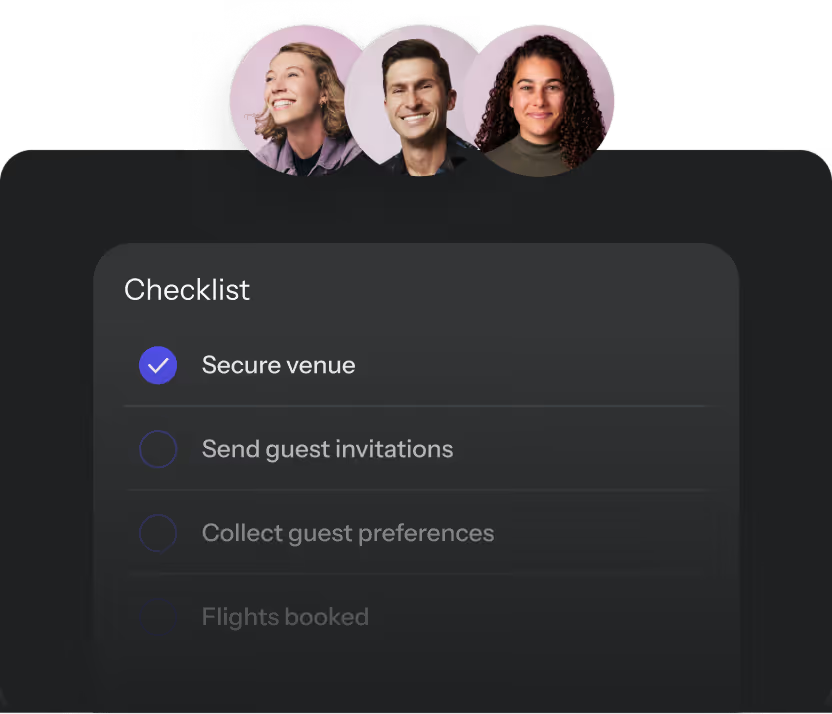
- Venue search and RFP management in a single dashboard so all bids are comparable side by side
- Contracted rate storage so negotiated discounts don't disappear after the first email
- Vendor contact and deliverable tracking so follow-ups don't fall through the cracks
Activity and Agenda Management
A confirmed team-building vendor that doesn't appear on the itinerary, a session time that changed in one document but not another, an attendee app showing last week's schedule: these failure modes of disconnected agenda management affect an estimated 30%+ of multi-day corporate events. Centralized agenda management means the itinerary, session schedule, and activity confirmations all live in the same system as the venue and guest list, so changes update everywhere at once.
Key capabilities include:
- Drag-and-drop agenda builders that update in real time as details change
- Activity and vendor linkage so a confirmed vendor appears directly on the itinerary
- Attendee-facing itinerary sharing so guests always have the current version
Budget Tracking and ROI Reporting
Real-time budget tracking means actual spend versus estimated cost, broken down by category (venue, F&B, AV, travel) - where variances of 10–20% are common - updated as invoices come in instead of discovered at the end. ROI reporting connects spend to outcomes like attendee count, NPS scores (typically targeting 50+), and event KPIs so planners can answer "was it worth it?" with data rather than intuition. A smartly structured strategic meetings management program can realize approximately 20% savings according to a BCD Meetings and Incentives case study, but only if spend is tracked in one place.
This directly addresses the challenge planners face when making the business case to finance: a platform that produces this data gives them language finance understands.
Key capabilities include:
- Real-time budget dashboards showing estimated versus actual spend by line item
- Vendor payment tracking so invoice surprises don't appear at the end
- Post-event reporting that ties spend to attendance, satisfaction, and business outcomes
Guest Management and Registration
Guest management in a centralized platform means RSVPs, dietary restrictions, travel details, and communications all live in one place instead of split between a registration form, an email thread, and a spreadsheet - a fragmentation that affects events with 50+ attendees most acutely. Event registration collects attendee information, while guest management tracks that information through the full event lifecycle including check-in and follow-up. Ticketing tools like Eventbrite and Splash typically stop at registration and don't carry data through to on-site execution.
Key capabilities include:
- Custom registration forms that capture dietary needs, travel preferences, and session choices
- Attendee status tracking from RSVP through check-in
- Automated guest communications so confirmation emails and reminders don't require manual sends
Team Workflows and Approvals
An EA plans it, a VP approves the budget, a finance team needs receipts: event planning at mid-to-large organizations (500+ employees) involves multiple stakeholders whose handoffs typically happen over Slack and email. Centralized workflow tools mean approval chains, policy guardrails, and task assignments are built into the platform rather than managed through messages and calendar reminders. This is the feature that separates platforms built for corporate use (like BoomPop and Cvent) from general event tools (like Eventbrite), because it enforces governance without adding manual steps.
Key capabilities include:
- Configurable approval workflows so budget sign-offs happen inside the platform, not over email
- Role-based access so different team members see what they need without exposing everything
- Event request forms so employees can submit requests through a structured process rather than ad hoc
AI Support for Sourcing, Updates, and Guest Questions
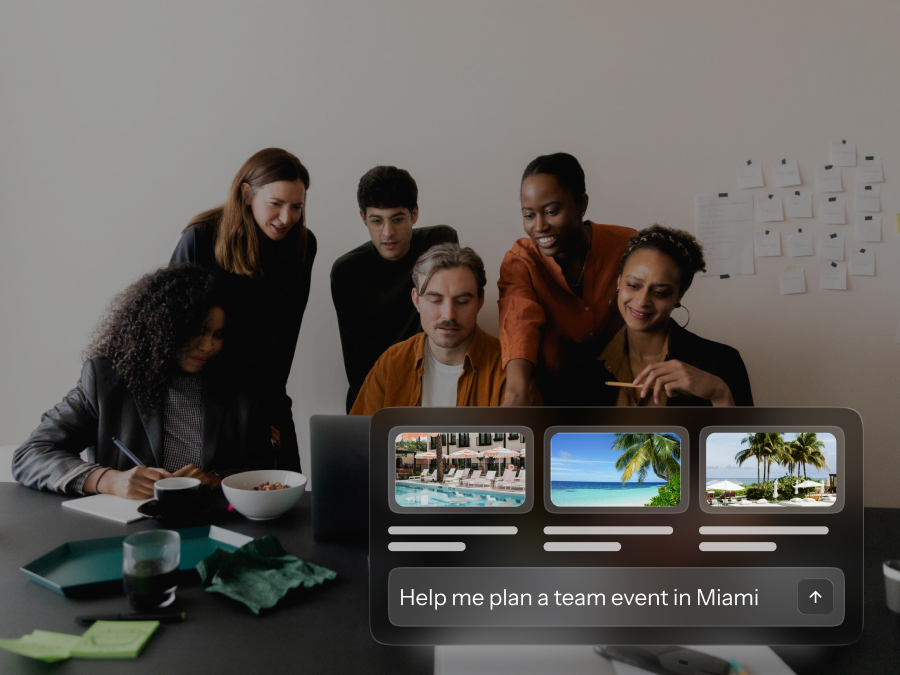
AI reduces the manual overhead of centralization by actively helping manage information instead of just storing it. BoomPop's AI capabilities include hotel suggestions based on event parameters (group size, dates, location), natural-language updates to event details, and automated guest question answering.
Key capabilities include:
- AI-powered venue suggestions that surface hotel options based on group size, dates, and location without manual searching
- Natural-language event updates so planners can change details conversationally rather than navigating menus
- Automated guest messaging that answers common attendee questions (parking, dress code, schedule) without the planner writing individual replies
Which Platform Type Fits Your Event Program?
A 50-feature checklist isn't a strategy. The right platform depends on the types of events you run (offsites, SKOs, conferences), how often you run them (quarterly vs. annually), and whether you need just software or also sourcing and planning support.
Corporate Event Management Platforms
Corporate event management platforms handle venue sourcing, guest management, budget tracking, and logistics in one system, built specifically for the corporate event use case. BoomPop is purpose-built for offsites, SKOs, client events, and conferences, with both self-serve and full-service options, combining a centralized event hub with access to 1M+ vendor partners and negotiated discounts.
Enterprise platforms like Cvent are powerful, though G2 reports a typical implementation time of 3 months and reviews explicitly flag a "steep learning curve for new users" due to extensive features. Cvent uses a quote-based annual license fee plus per-registrant fee model, with core solutions licensed individually or as a platform with optional add-ons including venue and vendor sourcing, which is structurally more complex than flat, self-serve corporate event tooling.
Venue and Logistics Management Tools
Momentus and Tripleseat are built for venue operators managing bookings from the venue side, not for corporate event planners coordinating across multiple vendors. Momentus markets modules for sales, booking, operations, and accounting, and a G2 reviewer (an event producer) says the product is "more targeted to venues rather than producers" and "geared towards a venue/catering side." Tripleseat explicitly positions itself as event management software for restaurants, hotels, and unique venues, with venue-centric artifacts like BEO generation at the center of its workflow.
Registration and Ticketing Platforms
Eventbrite's scope centers on customizable event pages, ticket sales, and marketing via the Eventbrite marketplace, with no described module for venue RFP creation, hotel room-block contracting, or centralized budget tracking across vendors. Whova covers registration and ticketing, event websites, agenda management, exhibitor and sponsor management, check-in and badges, and attendee engagement, though it does not include built-in workflows for venue RFPs, hotel room blocks, or centralized budget governance. Both tools solve one piece of the centralization puzzle, not the whole thing.
Project Management and Collaboration Tools
Asana is work management built on projects and tasks, while Monday.com is built on boards, views, dashboards, and automations. Neither natively defines event-industry objects like F&B minimums, attrition and room-block pickup tracking, contract and SOW versioning, or vendor linkage across multiple events. If it needs a workaround to scale, it doesn't scale.
How Should Teams Compare Cost, Support, Security, and AI?
Speed is useless if the data is wrong, and a platform that requires 4–12 weeks of configuration before the first event adds delay instead of removing it. These five practical factors - pricing, implementation, support, security, and integrations - determine whether a platform actually works in practice.
- Pricing models: Event platforms price in different ways (per event, per attendee, per user seat, or annual subscription). Understand the total cost of ownership including onboarding ($500–$5,000), integrations, and any per-registrant fees ($2–$10 per attendee) that scale with event size.
- Implementation and onboarding: Ask vendors how long setup takes (typical range: 1 week to 3 months) and whether a dedicated account manager is included or costs extra.
- Customer support: Look for platforms that offer real human support during event execution - such as live chat with <1 hour response times or dedicated phone lines - not just a help center.
- Data security and compliance: Confirm that the platform meets relevant compliance standards (SOC 2, GDPR, CCPA) and has role-based access controls to limit data exposure.
- Integrations: Check for native integrations versus API-only connections to CRM (Salesforce, HubSpot), HRIS (Workday, BambooHR), Slack, and calendar systems so event data doesn't require manual re-entry.
- AI capabilities: Evaluate whether AI features are genuinely embedded in the workflow (surfacing venue options, answering guest questions automatically) or just marketing language for a chatbot. BoomPop's AI is purpose-built for event logistics with hotel sourcing suggestions, natural-language updates, and automated attendee messaging, not a generic assistant bolted on.
How Do You Choose the Right Event Planning Platform?
The four-step decision framework below gives corporate event planners a practical process to follow before signing anything. Each step surfaces whether the team needs approval workflows, multi-user access, or role-based permissions before evaluating any platform.
Define Event Goals and Formats
Before evaluating any platform, the team needs to know what kinds of events they run, how often (monthly, quarterly, annually), and at what scale (25, 100, or 500+ attendees). An organization running two offsites and one SKO per year (3 events total) has different needs than one running monthly client events across multiple cities (12+ events annually).
Event types to consider:
- Offsites and retreats
- Sales kickoffs (SKOs)
- Client events
- Conferences
- Incentive trips
Map Workflows and Owners
Identify who touches the event planning process (typically 3–7 stakeholders): who sources venues (often an EA or operations lead), who approves budgets (VP or finance), who manages guest communications, who handles on-site logistics. A platform that centralizes these functions only works if all key stakeholders - typically the planner, budget approver, and on-site lead - are using it.
Test Real Event Scenarios
Test a platform against a real event the team is planning or recently completed - including venue sourcing, budget tracking, and guest management - not just a vendor demo. Can it handle the venue sourcing process as it actually works? Does the budget tracking match how finance wants to see spend? Generic demos show best-case scenarios, while real scenarios reveal gaps like missing integrations, slow RFP workflows, or inadequate reporting.
Compare ROI and Internal Time Saved
The cost of a platform is the subscription fee ($5,000–$50,000/year for enterprise tools) minus the hours saved and vendor discounts unlocked. Estimate the hours currently spent on manual sourcing, contract management, RSVP tracking, and budget reconciliation (typically 10–30 hours per event), then calculate what those hours cost at the planner's loaded rate ($50–$150/hour). BoomPop's vendor network offers negotiated discounts up to 40% that can offset platform cost directly, which is a concrete ROI argument for how the math works when pre-negotiated rates are included in the platform.
FAQ
What Platforms Do Corporate Event Planners Use?
Corporate event planners commonly use purpose-built platforms like BoomPop and Cvent for end-to-end event management (adopted by 40%+ of enterprise teams), registration tools like Whova or Eventbrite for attendee-facing events, and project management tools like Asana or Monday.com for internal task coordination, though only dedicated event platforms centralize venues, budgets, and logistics in one place.
What Is the Difference Between Event Planning Software and Event Management Software?
Event planning software typically refers to tools that help organize tasks and timelines before an event, while event management software covers the full lifecycle (sourcing, registration, on-site execution, and post-event reporting) in a single system.
Can Project Management Tools Replace Event Planning Software?
Project management tools like Asana or Trello can track tasks and deadlines but lack the event-specific capabilities (venue RFPs, room block management, vendor contract storage, and real-time budget dashboards) that a dedicated event platform provides.
What Are the 5 C's of Event Planning?
The 5 C's of event planning are Concept, Coordination, Control, Culmination, and Closeout, a framework covering everything from defining the event vision through post-event analysis, and a centralized platform supports each stage by keeping all information in one accessible system.
What Features Matter Most for Venue and Budget Management?
The most important features for venue and budget management are real-time budget dashboards with line-item tracking, venue sourcing and RFP tools that store bids and contracted rates, and vendor payment tracking that prevents invoice surprises at the end of the event.
How Do Centralized Platforms Help Prove Event ROI?
Centralized platforms connect event spend to outcomes (attendee count, satisfaction scores, and business KPIs) in one reporting view, giving planners the data they need to answer finance's "was it worth it?" question with specifics rather than intuition.
Do I Need Event Software, Full-Service Planning, or Both?
Teams with strong internal planning capacity but fragmented tools typically benefit most from software alone, while teams that lack planning bandwidth or vendor relationships benefit from a platform that also offers full-service support. BoomPop offers both options, letting teams start self-serve and add expert planning when the event complexity demands it.
Start planning in 2 minutes or less

.avif)

.svg)