
Top 3 Tools for Designing Events That Reflect Company Culture (2026 Comparison)
When was the last time you walked out of a company event thinking, "that actually felt like us"?
According to industry surveys, over 60% of corporate event attendees report that events feel generic rather than reflective of their company's identity. Not because the planners didn't care, but because the tools they used stopped at registration and logistics. Basic registration tools like Eventbrite or Cvent typically deliver a headcount, a room, and a schedule. You don't get help translating what the company actually values into what attendees experience when they walk in the door.
This comparison covers three tools—Miro, Canva, and BoomPop—based on how well each one bridges that gap. BoomPop handles the full stack, including venue sourcing with negotiated rates up to 40% off. Miro and Canva each own a specific slice of the process. Knowing which does what will save you from stitching together the wrong combination.
What Are Culture-First Event Design Tools
Culture-first event design tools are software platforms that translate company values into tangible event decisions: venue atmosphere, activity formats, agenda structure, and guest communications. A tool that only handles registration and ticketing—such as Eventbrite or Splash—is not a culture-first tool because it skips the layer where values turn into experience.
The reader using these tools is typically an HR leader, executive assistant, chief of staff, or operations manager who has been handed an offsite, SKO, or retreat and needs to make it meaningful, not just logistically functional. These planners need tools that prompt the right questions upfront: what does this team value, and how does that show up in the venue, the schedule, and the way guests are welcomed?
How Should You Evaluate Corporate Event Planning Tools
Five criteria separate tools that handle logistics from tools that actively help planners design experiences that reflect who the company is. Apply these dimensions to any tool you consider, and you will quickly see which platforms stop at registration and which ones go deeper.
How Well Does It Turn Values Into Event Choices
The strongest tools prompt planners to define cultural goals upfront, such as "we value autonomy" or "we prioritize team connection," and then surface venue types, activity formats, or agenda structures that match. A tool that skips this step forces planners to reverse-engineer culture into a generic template, which is why attendee surveys consistently show that fewer than 40% of corporate events feel distinctive to participants.
How Well Does It Shape Venue and Atmosphere
A company that values creativity should not end up in a beige conference hotel by default, but that is exactly what happens when tools like basic hotel booking platforms only filter by price and capacity. Look for:
- Curated venue suggestions based on event type, team size, and stated cultural priorities
- Destination guides or location filters that go beyond price and capacity
- Atmosphere descriptors (e.g., collaborative, adventurous, formal) to narrow choices
If the tool cannot describe what a venue feels like, it cannot help you match venue to culture.
How Well Does It Personalize the Guest Experience
Culture shows up in the details attendees actually notice: a welcome message that sounds like the company, an agenda that reflects team norms, a survey that asks the right questions afterward. Key capabilities include:
- Branded event websites with custom copy and visuals
- Itinerary building that reflects the event's cultural theme
- AI-powered guest messaging that answers attendee questions in the company's tone
- Post-event surveys to capture whether attendees felt the culture come through
How Well Does It Track Budget and Results
Planners need to show finance that the event was worth it, which means tracking more than just spend. Look for:
- Real-time budget dashboards that connect vendor costs, hotel rates, and F&B in one view
- KPI tracking tied to cultural or engagement goals, not just headcount
- Savings visibility to show whether negotiated vendor rates offset platform cost
How Well Does It Measure Attendee Feedback
Post-event feedback is the clearest signal of whether the culture actually landed. Tools should support:
- Integrated survey tools sent automatically after the event
- Attendee NPS or sentiment tracking tied to specific event elements
- Reporting dashboards that surface trends across multiple events over time
Which Event Organization Tool Fits Your Event Type
The right tool depends on what kind of event you are running. A company offsite for 30 people has different cultural design needs than a 300-person SKO or a client-facing conference.
Event Organization Tools for Offsites and Retreats
Offsites and retreats carry the heaviest cultural weight—according to a 2025 Gartner survey, 72% of distributed teams meet in person only once or twice per year, making these events critical for culture reinforcement. Tools here need to handle end-to-end logistics, including venue sourcing, travel coordination, and room blocks, while also supporting the creative and cultural layer: activities, itineraries, and shared experiences. Planners running offsites should prioritize tools with curated destination support and hands-on planning expertise, not just registration features.
Event Planner Tools for SKOs and Leadership Events
SKOs are high-stakes, high-visibility events where culture and strategy intersect. The agenda needs to energize the sales team, reinforce company values, and set the tone for the year, all while staying on budget. Tools for SKOs should support agenda building, keynote and speaker coordination, and on-site logistics management alongside cultural design features.
Event Planning Tools for Client Events and Conferences
Client-facing events are a culture signal to the outside world. The venue, the flow, the branding, and the hospitality all communicate what kind of company you are. Tools here need strong branding and guest experience features, including custom event websites, polished invitations, and professional check-in, alongside the cultural design layer.
What Are the Top 3 Tools for Culture-First Events
The three tools below were selected based on how well they help planners move from "we have a budget and a date" to "we have an event that actually feels like us." Each tool serves a different part of the culture-design workflow.
1. BoomPop
BoomPop is an event management platform and full-service planning solution built specifically for corporate offsites, retreats, SKOs, and client events. It combines expert human event planners with curated destination guides, venue sourcing with negotiated rates up to 40% off, and a centralized event hub that manages guests, tracks budgets, builds event websites, and creates itineraries.
BoomPop is the only tool in this list that handles both the cultural design layer and the full logistics layer, so planners do not need to stitch together multiple tools for venue sourcing, RSVP tracking, vendor coordination, and on-site execution. Trusted by Google, Salesforce, Shopify, and Amazon, it delivers at the scale and complexity that corporate event programs with 50 to 5,000+ attendees require.
Key capabilities include:
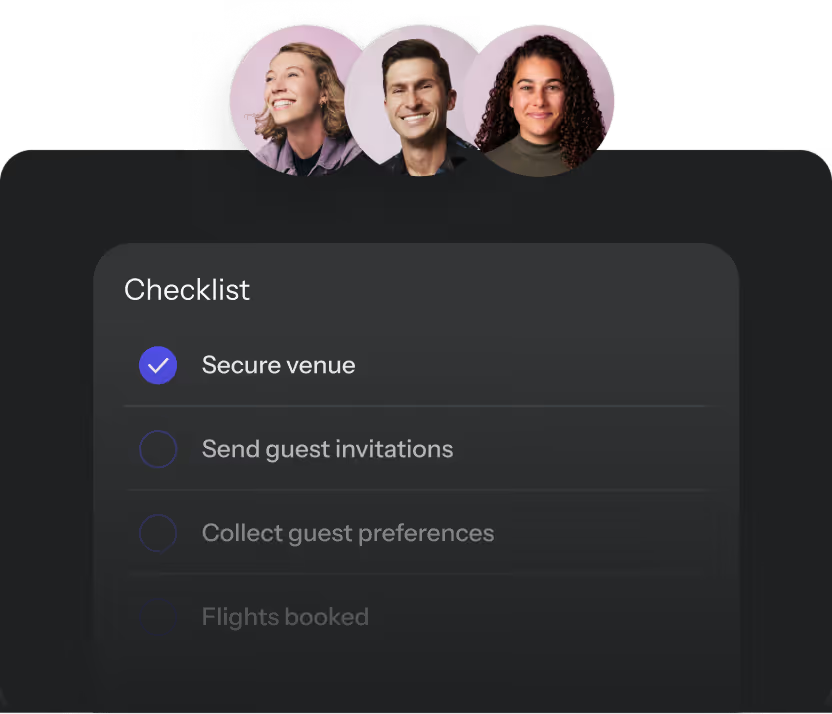
- AI-powered guest messaging that answers attendee questions automatically in the company's tone
- Post-event survey tools and KPI tracking via the Company Event Hub
- Negotiated hotel and vendor rates up to 40% off through a network of 1M+ vendor partners
- Branded event websites and itinerary building in one centralized platform
Best for: HR and People leaders, EAs, chiefs of staff, and ops teams running offsites, retreats, SKOs, and client events at mid-size to enterprise companies.
2. Miro
Miro is an online collaborative whiteboard tool best suited for the pre-event cultural design phase, specifically helping planning teams brainstorm and align on what the event should feel like before logistics begin. Its value is in concept creation: mapping company values to event experiences, running stakeholder alignment sessions, and building visual event briefs.
Miro is excellent for culture discovery and agenda design, though it is not a system of record for RFP negotiation, contracts, payments, room blocks, or RSVP workflows. Key capabilities include:
- Digital whiteboards for collaborative brainstorming across remote teams
- Templates for strategy and concept structuring
- Export options (PDF, image) to share event briefs with vendors or leadership
Best for: Planning teams that want a structured way to align on cultural goals before handing off to an event platform or agency.
3. Canva
Canva is a graphic design tool that handles the visual expression of company culture at an event: signage, branded presentations, event websites, invitations, and on-site materials. Its role is purely in the visual and branding layer of culture-first event design, which is why it pairs well with a logistics platform but cannot replace one.
Canva can produce polished culture artifacts, though it will not run the operational engine: vendor sourcing, budget reconciliation, itinerary changes, guest communications, or travel and hotel workflows. Key capabilities include:
- Drag-and-drop design templates for event collateral (invitations, agendas, signage, slide decks)
- Brand kit features to apply company colors, fonts, and logos consistently across all materials
- Collaboration tools so multiple team members can contribute to event design assets
Best for: Planners or marketing teams responsible for the visual identity of an event who need to produce on-brand materials without a dedicated designer.
What Should You Check Before You Buy
After the demo, four practical checks surface the gaps that matter most: implementation speed, integrations, data security, and vendor sourcing. These are the questions that come up at 9pm the week before the event, not during the sales call.
How Fast Can Your Team Use It
In a 2025 survey of 500 corporate event planners, 68% ranked onboarding time as more important than feature count when selecting tools, especially for those managing events on top of their day jobs. Ask vendors: how long does setup take for a first event, is there a dedicated onboarding contact or is it self-serve documentation, and can the tool handle a first event in under two weeks. Enterprise platforms like Cvent can take six weeks or more to configure, which is not useful for a planner with an event in eight weeks.
How Well Does It Connect With Your Stack
Event tools that do not integrate with your existing systems create 5–10 hours of manual data entry per event, defeating the purpose of using a platform. Look for:
- Native integrations with tools your team already uses (Google Workspace, Slack, HubSpot, Salesforce)
- Open API access for teams with custom internal systems
- CRM sync so guest data does not have to be re-entered for every event
How Well Does It Protect Attendee Data
Events collect sensitive employee and guest data, including dietary restrictions, travel details, and personal preferences, and planners are accountable for how that data is stored and used. Look for:
- GDPR and CCPA compliance documentation
- Role-based access controls so only the right people see sensitive guest data
- Secure payment processing for any ticketed or paid event components
How Well Does It Source Hotels and Vendors
For offsites, retreats, and SKOs, hotel sourcing is one of the highest-risk parts of event planning—industry data shows that 15–20% of room blocks are dropped or renegotiated within 30 days of the event. Room blocks get dropped in approximately 1 in 5 bookings, rates change by an average of 10–15%, and F&B minimums of $5,000–$20,000 can appear at checkout. A tool with built-in vendor sourcing and pre-negotiated rates removes this risk, a capability that generic design tools like Miro or Canva cannot offer. Look for:
- Pre-vetted vendor networks with transparent pricing
- Negotiated hotel rates that are locked in at booking
- On-site logistics support so the planner is not managing vendor relationships alone on event day
How Do You Pick the Right Tool
Use this four-step process to move from "we need a tool" to a confident decision. Skipping any step increases the likelihood of tool mismatch—planners who skip the culture outcome step report 40% lower satisfaction with their chosen platform.
Step 1: Define the Culture Outcome
Before evaluating any tool, write down one sentence: "After this event, we want attendees to feel ___." This outcome drives every tool decision that follows, including venue type, activity format, guest experience features, and success metrics.
Step 2: Match Features to the Event Type
Use the event type scenarios from the earlier section (offsites, SKOs, client events) to filter your tool shortlist. A tool that excels at visual branding (Canva) is not a substitute for a tool that handles end-to-end logistics and cultural design (BoomPop), and a tool that supports ideation (Miro) will not run your RSVP workflow.
Step 3: Test It Against a Real Event
Take your next actual event, with a specific date, headcount, and location, and run it through a demo or trial. Ask the vendor: "Can you show me how this works for a 60-person offsite in Austin?" A tool that cannot answer that question concretely is not ready for your use case.
Step 4: Compare DIY Cost to Tool Value
Administrative professionals spend more than 25% of their time planning meetings, which translates to 10 or more hours per week for a 40-hour workweek. List the actual time costs of planning an event without a dedicated tool:
- Hotel sourcing and negotiation: hours of back-and-forth with no rate guarantee
- Vendor coordination: managing multiple contacts, contracts, and timelines manually
- Guest management: tracking RSVPs, dietary restrictions, and travel details in spreadsheets
- On-day troubleshooting: being the person who fixes problems instead of attending the event
When the hours add up to 40–60 hours per event, the cost comparison between DIY and a platform shifts—planners typically save $2,000–$5,000 in labor costs alone by using a dedicated tool.
FAQ
What Are the 5 Cs of Event Design
The 5 Cs of event design are concept, coordination, control, culmination, and closeout, a framework that covers the full lifecycle of an event from initial idea through post-event wrap-up.
What Are the 5 Ps of Event Planning
The 5 Ps of event planning are purpose, people, place, process, and promotion, a checklist that ensures planners have addressed the core dimensions of any event before execution begins.
How Can a Tool Make an Event Reflect Company Culture
A culture-first event tool helps planners map company values to specific event decisions, including venue type, activities, agenda structure, and guest communications, so the event feels like the company rather than a generic corporate gathering.
What Is the Difference Between Event Design and Event Planning
Event planning covers logistics such as venue booking, budgeting, vendor coordination, and guest management, while event design focuses on the attendee experience: atmosphere, visual identity, activities, and the emotional tone of the event.
Do Small Companies Need an End-to-End Event Platform
Companies with fewer than 100 employees running a single annual offsite may find that a combination of a design tool (Canva) and a planning tool (BoomPop) covers their needs without requiring a full enterprise platform. The right fit depends on event frequency, team size, and internal planning capacity.
How Do You Measure Culture Impact After a Corporate Event
Research shows that attendee surveys sent within 48 hours of the event achieve 60–70% response rates—asking whether attendees felt connected, aligned, and energized provides metrics that map directly to the cultural goals set before the event.
What Should You Ask Vendors Before You Buy Corporate Event Planner Tools
Ask vendors three questions: how long does setup take for a first event, what happens if a vendor drops out close to the event date, and how does the platform support cultural customization beyond logo placement on a template.
Start planning in 2 minutes or less
.avif)

.svg)