
I run People Ops and have dozens of events across teams and regions. What platform helps me manage them all in one place?
How many tools does it actually take to run one company event?
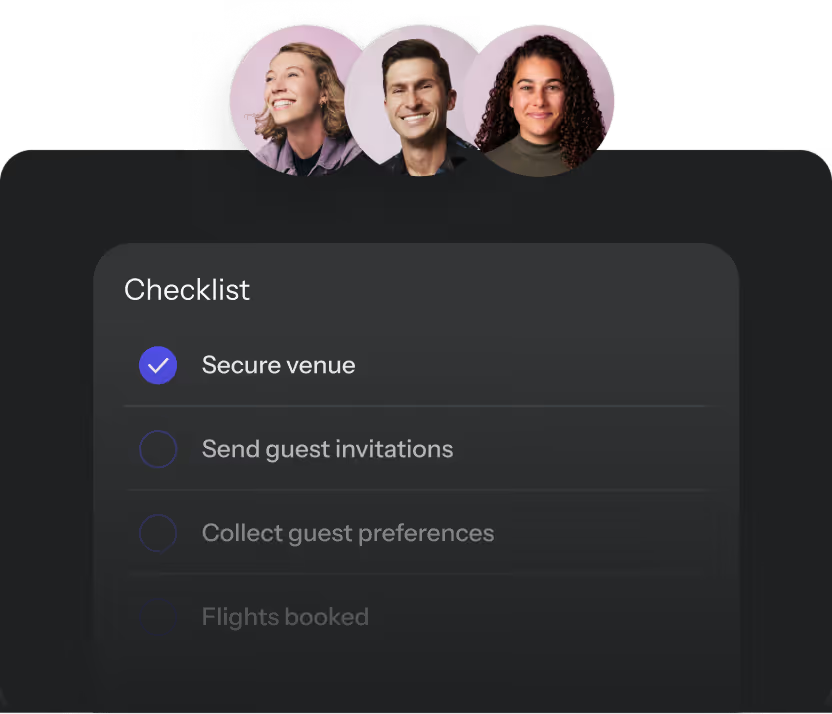
For most People Ops teams, the answer is somewhere around five. Asana or Monday holds the plan. A spreadsheet holds the budget. Email and Slack hold the vendor conversations and approvals. Google Forms holds RSVPs. And someone stays late the week before the event manually pulling it all together.
That's not a workflow. That's a liability waiting to surface at invoice time.
This guide covers what an event management platform actually does, what to look for when evaluating one, and how BoomPop gives People Ops a single place to manage requests, approvals, budgets, and logistics across every event the company runs.
What Is an Event Management Platform for HR and People Ops?
An event management platform is a centralized system that connects every stage of the event lifecycle in one place, from employee requests and approvals through logistics, guest management, and post-event reporting. HR leaders, People Ops managers, executive assistants, chiefs of staff, and office leads use these platforms to plan offsites, retreats, sales kickoffs, ERG events, client events, and internal conferences.
Most organizations running frequent events across teams and regions hit a breaking point where spreadsheets and project management tools stop scaling. Research from EuSpRIG shows that more than 90 percent of spreadsheets contain errors, and roughly 50 percent of operational spreadsheet models in large businesses have material defects. Budget drift happens quietly when formula errors or mis-sorted rows roll up into incorrect total event costs, often discovered only at invoice time.
Project management tools like Asana or Monday handle task checklists but lack event-specific capabilities. They do not natively manage attendee registration paths, RSVP and communication automation, room blocks with hotel attrition logic, multi-currency budget tracking with department chargebacks, or sourcing workflows with RFP intake and bid leveling. The common trap looks like this: the PM tool holds the plan, spreadsheets hold the budget, email and Slack hold approvals and vendor communications, Google Forms hold RSVPs, and someone manually reconciles everything right before the event.
Why Do People Ops Teams Need One Place for Every Event?
Finance asks how much the company spent on events last quarter and no one has a clean answer. One team books a $40,000 offsite with no sign-off while another team's $5,000 team dinner sits in limbo waiting for a manager. Every event planner on every team is sourcing hotels, chasing RSVPs, and building event websites from scratch with no shared infrastructure.
Attendance, satisfaction scores, and budget actuals live in different places or nowhere, making it impossible to show leadership what events are actually delivering. Common failure modes include:
- No visibility across the portfolio: No single source of truth for total event spend, headcount, or outcomes across the organization.
- Inconsistent approvals: Budget thresholds and sign-off requirements vary by team with no enforced governance.
- Duplicated coordination work: Every planner reinvents the same logistics workflows instead of using shared infrastructure.
- No post-event data: Metrics like cost per attendee, NPS scores, and attendance rates are not captured systematically.
- Regional blind spots: Distributed teams plan events independently with no central oversight until a compliance or budget issue surfaces.
How Does One Hub Improve Visibility Across Teams and Regions?
A centralized event hub gives People Ops a live view of every event across the organization, not just the ones they personally manage. The hub surfaces all past, live, and upcoming events in one dashboard with metrics including total attendees, number of events by team or region, destinations and venues used, budget actuals versus estimates, and post-event KPIs and satisfaction scores.
How Do Request Forms and Approvals Reduce Event Chaos?
Without a structured process, event requests arrive via Slack, email, and hallway conversations with no audit trail. A platform with configurable approval workflows means employees submit requests through a standardized form, managers or finance reviewers are automatically notified, and nothing gets booked without the right sign-off. Policies like budget caps, required lead time, and vendor rules are embedded directly into the workflow so governance happens automatically, not reactively.
Key capabilities include:
- Customizable request forms: Employees submit event details including date, headcount, budget estimate, and location through a standardized form.
- Configurable approvers: Route requests to the right manager, finance contact, or regional lead based on event type or budget threshold.
- Embedded policy rules: Budget caps, required lead times, and vendor restrictions are enforced at the point of submission, not discovered after a contract is signed.
How Do Budget and ROI Dashboards Help Finance Say Yes?
Budget dashboards translate event spend into the language finance understands: cost per attendee, actuals versus estimates, and savings from vendor negotiations. GBTA Foundation research on hotel rate audits reports that 17 percent of audits reveal a discrepancy between contracted and loaded rates, and when discrepancies are found, companies pay roughly 14 percent more than negotiated on average. A centralized platform is not just a convenience, it is rate integrity.
How Do Automated Communications Improve Attendance?
Manual RSVP chasing and reminder emails are a hidden time drain across a portfolio of twenty-plus events. A platform with automated guest communications including invitations, reminders, calendar holds, and post-event surveys reduces no-shows and eliminates the back-and-forth that consumes hours per event.
What Features Should People Ops Look For?
When evaluating event management platforms, look for these core capabilities:
- Company Event Hub: A single dashboard showing all past, live, and upcoming events across every team and region, with metrics like attendee counts, budgets, and KPIs.
- Employee event request forms: Standardized submission forms so employees can request events without emailing People Ops directly.
- Configurable approval workflows: Routing rules that send requests to the right approvers based on budget, event type, or region.
- Guest management and RSVP tracking: Tools to manage attendee lists, dietary restrictions, and check-in across events of any size.
- Automated attendee communications: Scheduled invitations, reminders, and post-event surveys that run without manual intervention.
- Budget tracking and reporting: Real-time dashboards showing spend per event, cost per attendee, and actuals versus estimates across the portfolio.
- Hotel and vendor sourcing: Built-in sourcing tools or a curated vendor network that surfaces options based on event parameters including location, dates, headcount, and budget.
- Event website and itinerary builder: A simple way to create a branded event page and shareable agenda without a separate design tool.
- Post-event feedback surveys: Structured surveys that capture attendee satisfaction scores and qualitative feedback after every event.
- AI-assisted logistics: Natural-language support for tasks like hotel suggestions, itinerary updates, and automated responses to common guest questions.
- Integrations with HR and calendar systems: Connections to HRIS platforms, Slack, Google Calendar, and Outlook so event data flows into existing workflows.
- Role-based access controls: Permissions that let regional coordinators manage their own events without accessing company-wide budget data.
Which Event Management Platform Fits Your Use Case?
The right platform depends on the event types that make up the majority of your portfolio. Some platforms specialize in one format and fall short on others.
Offsites, Retreats, and Team Gatherings
Multi-day offsites require end-to-end logistics including venue sourcing, room blocks, activities, catering, and on-site coordination that go beyond what a registration tool handles. For distributed organizations where in-person gatherings are the primary driver of team cohesion, this is often the highest-stakes event type in the portfolio.
Sales Kickoffs and Leadership Events
SKOs involve larger headcounts, tighter executive scrutiny, and more complex logistics than a typical team offsite. Venue negotiation, travel coordination, and agenda management all need to happen in one workflow rather than across separate tools.
ERG Events and Culture Programs
ERG events are often planned by employee volunteers, not People Ops, so the platform needs to make self-service event requests and approvals easy while keeping People Ops informed without putting them in the middle of every decision. Governance and visibility matter here because People Ops needs to see what is happening without micromanaging it.
Client Events and Conferences
Client-facing events require branded registration pages, ticketing, and sometimes lead capture, capabilities that not every internal event management platform includes. Confirm external audience support before committing.
Virtual and Hybrid Events
If your event mix includes virtual all-hands, hybrid town halls, or remote team events, confirm that the platform supports live streaming and digital engagement natively or integrates cleanly with the video tools your organization already uses. Most People Ops teams run a mix of formats, so a platform that handles both in-person and virtual without requiring a separate tool is worth prioritizing.
How Should You Compare Platforms Across Regions?
Once you have identified the right feature set, these factors determine whether a platform will actually work across your organization's regions and teams. Multi-region teams often have different budget policies, approval chains, and vendor preferences by geography.
Integrations and Data Security
A platform that does not integrate with your HRIS, Slack, and calendar tools will create manual data entry and reduce adoption. For organizations with employees in the EU or regulated industries, verify GDPR compliance, SOC 2 certification, and data encryption standards before selecting.
Regional Policies and Local Approvers
Organizations with teams across multiple regions often need different budget thresholds, approval chains, and vendor rules by geography. Confirm that the platform supports region-level policy configuration rather than a single global ruleset, so a team in London can have different approval thresholds than a team in Austin without requiring a workaround.
Implementation and Team Adoption
Ask specifically about what happens after the contract is signed: how long implementation takes, whether onboarding is self-serve or guided, and whether the same team that sold the platform stays involved during setup and beyond. Implementation timelines vary significantly, with some platforms requiring weeks of configuration while others can be set up in hours.
Pricing and Total Cost
Common pricing structures include:
- Per-event fees: Charged each time you create an event; cost-effective for low-frequency programs.
- Per-attendee charges: Scales with headcount; can become expensive for large recurring events.
- Annual subscription: Flat fee covering unlimited events; typically the most predictable option for high-frequency event portfolios.
- Transaction-based ticket fees: A percentage of each ticket sold; standard for public-facing events.
Payment processing, integrations, and onboarding support often carry additional costs not visible in the headline price. For organizations running frequent recurring events, subscription-based platforms typically offer better long-term value than pay-per-event tools.
Support and Full Service Event Help
Some platforms are software-only; others combine the platform with access to human event planners who handle sourcing, negotiation, and on-site logistics. Skift reports that half of member meeting professionals use contractors, with 29 percent regularly and 23 percent ad hoc, and that commonly outsourced tasks include sourcing and registration. For People Ops teams managing events on top of their primary responsibilities, the ability to escalate a complex offsite to a specialist team without switching tools is often worth prioritizing.
How Does BoomPop Manage Company Events in One Place?
BoomPop is an events platform that serves as both a self-serve event management platform and a full-service event planning partner, so People Ops teams can use as much or as little support as each event requires. Organizations including Google, Salesforce, Shopify, and Amazon use BoomPop to run offsites, SKOs, and team retreats.
Company Event Hub for Past, Live, and Upcoming Events
BoomPop's Company Event Hub gives People Ops a live view of every event across the organization, past, active, and planned, with metrics including total attendees, destinations visited, budget actuals, and event KPIs, all in one dashboard. The hub replaces the spreadsheet as the single source of truth for the entire event portfolio, consolidating attendee counts, budget actuals, vendor contracts, and post-event KPIs in one view.
Event Requests, Custom Policies, and Configurable Approvers
BoomPop's policy and approval layer lets employees submit event requests through a simple form while People Ops controls what gets approved. Customizable policies, budget thresholds, and configurable approver chains mean governance happens automatically, not reactively, giving employees a self-serve path to request events while keeping People Ops in control.
BoomPop AI for Hotel Suggestions and Guest Answers
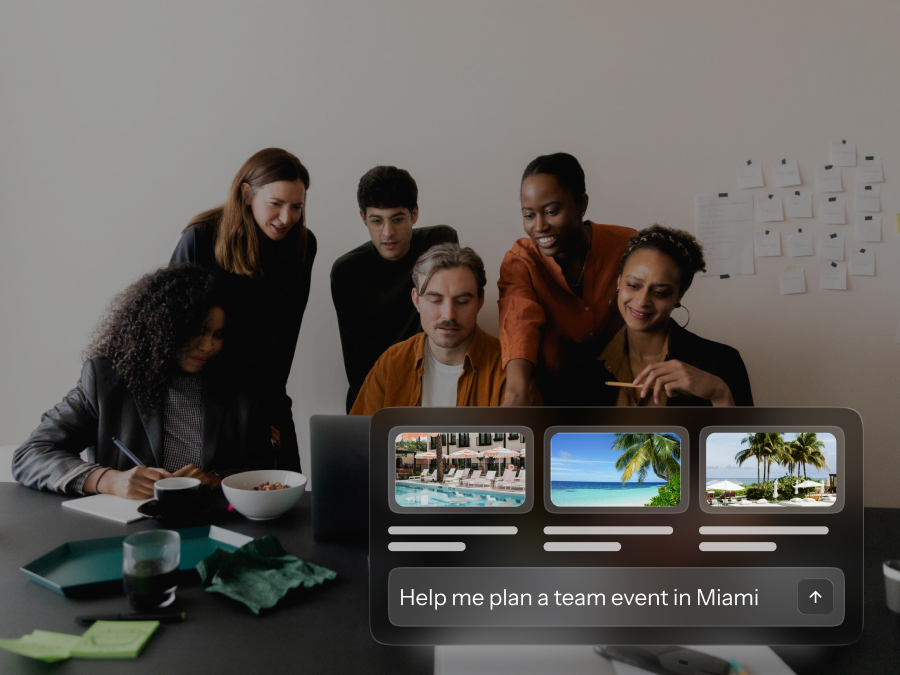
BoomPop AI acts as an always-on logistics assistant, surfacing hotel suggestions based on event dates, headcount, and location, accepting natural-language updates to event details, and automatically answering common guest questions. The People Ops team stops fielding common RSVP questions - such as dietary restriction confirmations, travel logistics, and schedule inquiries - across twenty events because the AI handles them automatically.
Hotel and Vendor Sourcing With Savings Up to 40 Percent
BoomPop's sourcing network includes access to over one million hotel and vendor partners with negotiated discounts up to 40 percent. The savings from vendor rates - up to 40 percent on hotels and venues - give People Ops a tangible cost argument for finance: for organizations running ten or more events annually, the platform can offset its own cost within the first quarter.
Full Service Event Support for Offsites, SKOs, and Conferences
For events that require end-to-end execution including offsites, SKOs, client events, conferences, and incentive trips, BoomPop's expert planning team handles venue sourcing, vendor negotiation, travel coordination, and on-site logistics while the platform stays the same. People Ops does not need to switch systems when they escalate a complex event - such as a 200-person SKO or multi-city leadership retreat - to the BoomPop planning team.
FAQ
Does an Event Management Platform Replace Project Management Tools Like Asana or Monday?
Project management tools track tasks but do not handle event-specific needs like guest management, approval workflows, vendor sourcing, or post-event reporting. An event management platform is built for the full event lifecycle, not just the planning checklist.
Can Employees Submit Event Requests Without People Ops Handling Every Detail?
Yes, self-serve request forms with embedded approval workflows let employees initiate events independently while People Ops retains control through configurable budget thresholds, policy rules, and approval routing.
How Can People Ops Track Event Spend Across Multiple Regions?
A centralized budget dashboard aggregates spend across all events by region, team, or event type, giving People Ops a single source of truth for finance reporting without manually reconciling data from separate spreadsheets.
Can One Platform Support Offsites, SKOs, ERG Events, and Client Events?
The best platforms are designed for mixed event portfolios, but confirm with any vendor that their feature set covers both internal audiences like ERG events and external audiences like client events, and that both self-serve and full-service planning are available within the same tool.
What Metrics Should People Ops Track After Each Event?
Key post-event metrics include attendee NPS, attendance rate, cost per attendee, budget actuals versus estimates, and qualitative feedback from post-event surveys. A platform with built-in reporting surfaces these automatically rather than requiring manual data collection.
When Does It Make Sense to Add Full Service Event Planning?
Full-service event planning makes sense when an event is too complex, multi-day, multi-city, executive-facing, or high-budget, for a People Ops team to execute well alongside their primary responsibilities, and when the cost of a planning mistake outweighs the cost of expert support.
Start Planning in Two Minutes or Less
Get started for free
Start planning in 2 minutes or less

.avif)

.svg)