
Giving teams the freedom to book their own venues sounds like it should save time - cutting approval cycles from days to hours.
But according to GBTA research, 77% of companies without managed booking channels still rely on consumer tools, shifting approval bottlenecks and budget tracking problems downstream.
A request goes out over email. The manager sees it a day later. The venue holds the date for 48 hours, approval comes through on hour 49, and now you're starting over with three weeks to go.
Budget creep works the same way - small upgrades, one unvetted vendor, a catering add-on adding 10–20% to the original estimate - and none of it surfaces until the invoice lands in accounts payable.
BoomPop fixes this at the system level by routing 100% of requests through configurable approval workflows. Employees browse a pre-approved vendor catalog, submit a structured request, and the platform routes it to the right person based on rules set once by an admin. The planner doesn't manage the inbox - the platform routes requests automatically, eliminating manual triage of venue emails.
What is an approved venue booking platform?
An approved venue booking platform lets employees search, request, and book venues or experiences from a pre-vetted list without pulling a manager into every decision. Unlike generic event booking tools that handle ticketing or reservations, or internal spreadsheets that offer no structure at all, this type of platform enforces company policy at the point of booking rather than after the invoice arrives.
The core mechanism works like this: an admin builds a catalog of venues and vendors that have already passed budget, compliance, and insurance checks. Employees browse that catalog, submit a structured request, and the platform routes it to the right approver based on rules configured once. Spend limits, approval thresholds, and policy guardrails run automatically instead of being enforced manually every time.
Why does self-serve venue booking need guardrails?
Without structure, team autonomy creates three predictable failure modes. According to GBTA and MPI research on simple meetings, 52% of companies do not use a managed channel to book, and among those who don't, 77% rely entirely on consumer channels like calling the hotel directly or browsing venue websites. By the time the company realizes spend is off-track or a vendor is unvetted, the event has already happened.
Budget creep hides in small decisions
A team picks a venue slightly over budget, adds an activity, upgrades catering, and the overage only surfaces when the invoice hits accounts payable. Based on APQC benchmarks, processing a single vendor invoice costs a median of $5.83, and processing an expense report costs $5.50. A small offsite generating nine vendor invoices and 15 employee reimbursements racks up roughly $135 in back-office handling costs before you count planner time, approver time, or any policy leakage.
Approval chains slow teams down
An employee submits a venue request via email or Slack, it sits in a manager's inbox, the venue holds the date for 48 hours, and by the time approval comes through the slot is gone. Manual approval chains have no routing logic and no visibility into where a request is stuck, so the bottleneck is structural, not personal.
Vendor sprawl makes risk invisible
When teams book independently through Google searches or personal recommendations, the company has no visibility into who they are contracting with. Unapproved vendors may not carry the right insurance, may not meet data or safety standards, and create invoice surprises. If employees can book venues independently, you are expanding the organization's third-party footprint faster than vendor due diligence, contract review, or insurance checks can keep up.
How can teams book venues without constant oversight?
Oversight can be designed into the system - through budget thresholds, approval routing rules, and vendor catalogs - so it does not need to be enforced by a person. A well-configured approved venue booking platform replaces manual approval chains, status-check meetings, and post-event reconciliation - which can add 5–10 hours of admin time per event - with structured workflows that run automatically. The setup happens once - typically 2–4 hours of admin configuration - and the guardrails enforce themselves every time an employee submits a request.
Set event request rules first
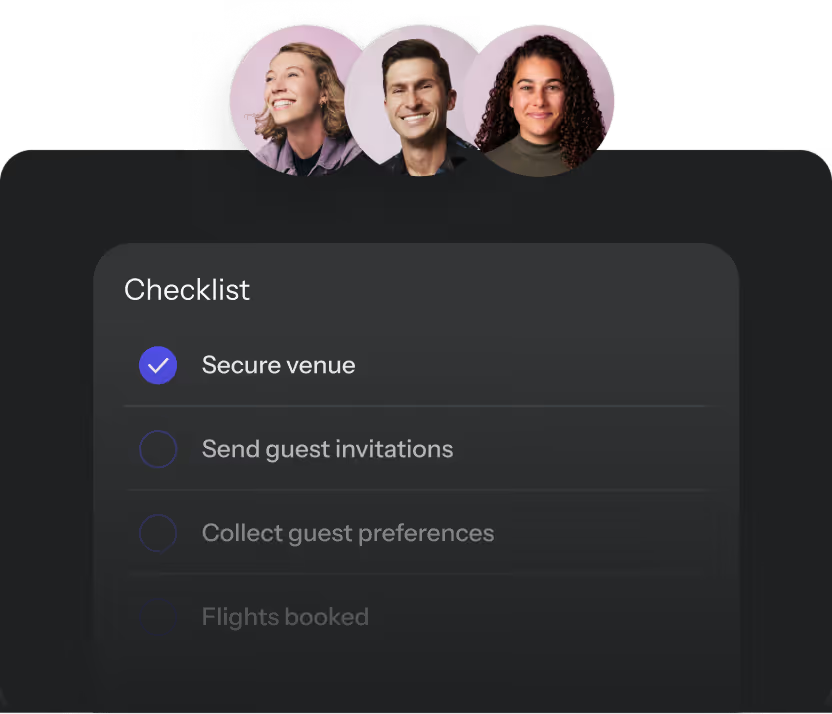
Before employees can self-serve, an admin configures the rules: what event types are allowed, what budget thresholds trigger an approval, and what information an employee must provide when submitting a request. This one-time setup replaces the ongoing manual oversight that typically consumes 1–2 hours per event request.
Key configuration points include:
- Event type policies: Distinguish between team dinners, offsites, SKOs, and client events, since each may have different budget ceilings and approval requirements.
- Intake forms: Customizable forms capture headcount, dates, location preferences, and purpose before a request is routed.
- Budget thresholds: Requests under a set amount auto-approve; requests above it route to a designated approver.
Route approvals by budget and event type
A team lunch under $500 might auto-approve. A two-day offsite routes to the VP of People. A client event routes to marketing ops. The routing logic is configurable by the admin, not hardcoded, so approvers only see requests above their threshold - often reducing their review queue by 50% or more.
Keep approved venues and experiences in one hub
The approved venue list is the catalog employees browse, covering pre-vetted hotels, retreat venues, activity vendors, and experience providers that have already been checked for budget fit, insurance, and company policy. Employees pick from this list rather than sourcing independently. BoomPop's network includes over 1 million vendor partners, giving companies a ready-made catalog to draw from, with pre-negotiated rates visible at search time rather than revealed at checkout.
Replace status checks with live visibility
"Where are we on the Nashville venue?" is a question that should never require a meeting - yet status-check calls consume an average of 30 minutes per event in manual workflows. A platform with a live event hub means the answer is always one click away, with every event in flight showing its status, budget, and attendee count without anyone having to ask.
BoomPop's Company Event Hub surfaces all past, live, and upcoming events with metrics like total attendees, number of events, destinations visited, budgets, and KPIs. Finance can ask how much was spent on events this quarter and get an answer in seconds, versus the hours of manual reconciliation required without centralized tracking.
Let AI handle the repetitive questions
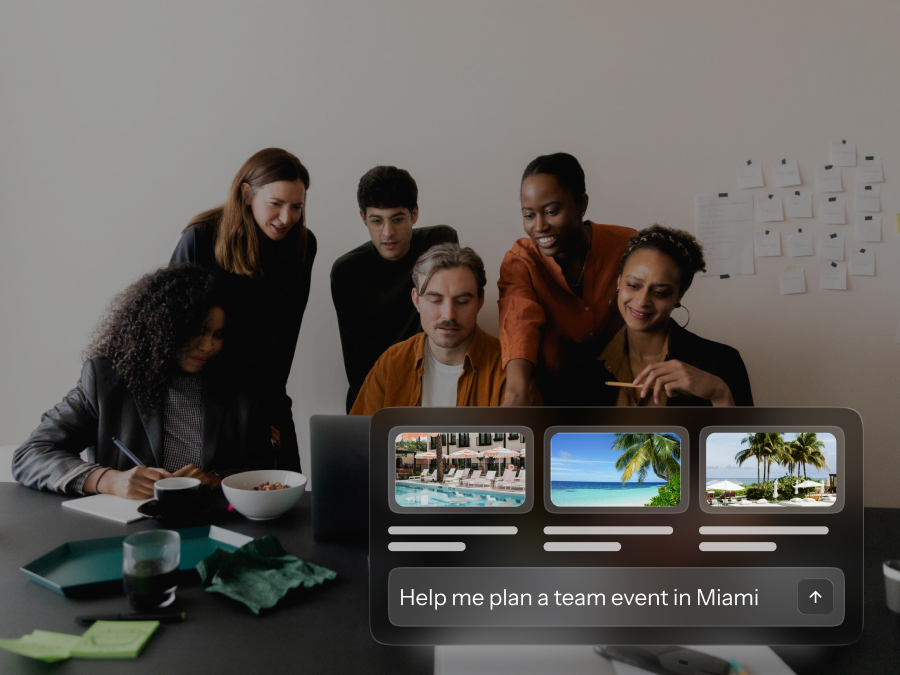
BoomPop AI automatically answers common attendee questions about logistics, schedules, and dietary options - handling dozens of inquiries per event - so the planner does not become the help desk. It can also suggest hotels based on event parameters and support natural-language updates to event details, cutting sourcing time from hours to minutes without requiring the planner to manually research every option.
Which features matter most in a venue booking platform?
The features that matter most are the ones that enforce policy at the point of booking (e.g., blocking out-of-budget venues), route approvals intelligently (e.g., threshold-based escalation), and surface visibility without requiring manual status updates (e.g., real-time dashboards). Not every feature on a vendor's list solves the oversight overload problem - features like attendee badge printing or seating charts, for example, don't reduce approval burden.
Approved venue search
Every result in the catalog should already be approved at the policy level, so browsing is safe by default. That is the key differentiator from general booking tools like Expedia or OpenTable, where employees can find and book anything regardless of whether it fits company policy.
Look for:
- Location and capacity filters so employees find venues that fit their event without manual back-and-forth
- Pre-negotiated rates visible at search time, not revealed at checkout
- Sourcing network depth: BoomPop offers discounts up to 40% on hotels and vendors through its sourcing network, which is a concrete example of what pre-negotiated rates look like in practice
Custom intake forms
The intake form converts a vague request ('We need a venue for our team offsite') into a structured, routable submission with headcount, dates, budget, and event type specified. Good platforms let admins build forms that capture exactly what they need, nothing more, nothing less, so approvers have context without the 2–3 follow-up emails typically required to gather missing details.
Look for:
- Configurable fields for headcount, dates, budget, event type, and purpose
- Conditional logic that shows different fields depending on the event type selected
- Required fields that prevent incomplete submissions from clogging the approval queue
Approval workflows
Approval workflows define who reviews what, under what conditions, and in what order. The GBTA and MPI research found that fewer than one-third of companies follow a required bidding process for simple meetings, and only 22% use an e-RFP platform, which means most companies are still routing approvals manually.
Look for:
- Threshold-based routing so low-spend requests auto-approve and high-spend requests escalate
- Configurable approvers by department, event type, or budget band
- Audit trail so every approval decision is logged and visible to admins
Budget and KPI reporting
After events run, the platform should surface spend data, attendee counts, and event outcomes in one place, not buried across 5–10 email threads or scattered vendor invoices. The GBTA and MPI study found that while 81% of companies track simple meeting spend in some way, fewer than half submit a report once the meeting is complete and invoices are paid.
Look for:
- Real-time budget tracking against approved spend limits
- Post-event KPI capture such as attendee NPS, headcount, and cost per attendee
- Portfolio-level visibility: BoomPop's Company Event Hub tracks total attendees, number of events, destinations visited, budgets, and KPIs across the entire event program
Vendor sourcing and negotiated rates
BoomPop's Hotel and Vendor Sourcing feature connects companies to over 1 million vendor partners with discounts up to 40%. The rate employees see when booking is the rate on the contract, which removes rate discrepancies that can add 10–25% to expected costs.
How do you choose the right event booking platform?
Your event volume (5 events per year vs. 50), policy complexity (single approval vs. multi-tier), and tolerance for upfront configuration time (2 hours vs. 2 days) all shape which platform is the right fit. A team running two or three events per year has different needs than a company running 30–50 offsites, SKOs, client events, and incentive trips annually.
Match the tool to event volume
Platforms built for high-volume (20+ events per year), multi-team event programs include features like a company-wide event hub and portfolio-level reporting that are overkill for occasional use but essential at scale.
- Low volume (1 to 5 events per year): A lightweight booking tool with single-step approvals may be enough
- Mid volume (6 to 20 events per year): Look for approval workflows, a vendor catalog, and budget tracking
- High volume (20 or more events per year): Requires a full event management platform with portfolio visibility, AI support, and policy enforcement at scale
Check policy controls
Ask specifically whether the platform enforces your company's event policy (e.g., blocking bookings over $5,000 without VP approval) or just records what happened after the fact. A platform that blocks out-of-policy venues and requires approvals above a threshold (e.g., $2,500) does the work automatically. A platform that only logs events after the fact still requires manual oversight - typically 1–2 hours per event for policy review and reconciliation.
Questions to ask a vendor:
- Can we configure different approval rules for different event types?
- Can we restrict the venue catalog to company-approved vendors only?
- Can we set hard budget caps that prevent employees from booking over a limit?
Compare setup time with admin time saved
The upfront cost of configuring a platform is real: building the approved vendor list, setting up intake forms, and defining approval workflows typically takes 4–8 hours of admin time. The IOFM benchmark shows that accounts payable departments with no automation spend $6.30 per invoice versus $1.45 per invoice with end-to-end automation. Manual event processes export that same cost downstream to finance, HR, and operations - often adding 3–5 hours per event in fragmented tracking, missing post-event reporting, and late invoice surprises.
Test the employee path
If the booking flow is confusing, employees will route around it - studies show that 30–50% of employees bypass complex procurement tools, reverting to Slack, email, or shadow spreadsheets. Before committing to a platform, have a non-events-team employee walk through the booking flow end-to-end. A platform that requires help to navigate - more than 5 minutes to complete a booking request - is not self-serve enough.
How does BoomPop reduce oversight overload?
BoomPop's Event Management Platform is built for companies that run 10 or more internal and external events annually and need a single source of truth with a structured approval and policy framework. It combines a company-wide event hub, robust policy and approval workflows, and integrated AI that actively assists with logistics and guest support.
Employee requests stay simple
Employees submit a structured request with headcount, dates, event type, and budget, and the platform routes it to the right approver automatically - typically within minutes rather than the 24–48 hours of email-based routing. The planner does not manage the inbox - the platform handles request routing, saving 2–4 hours per week on email triage alone.
The Company Event Hub shows every event
BoomPop's Company Event Hub gives admins and leaders a single view of all past, live, and upcoming events. The metrics it surfaces include:
- Total attendees across all events
- Number of events by type or team
- Destinations visited
- Budget spend versus approved limits
- Event KPIs and outcomes
BoomPop AI speeds up sourcing and guest support
BoomPop AI provides hotel suggestions based on event parameters, supports natural-language updates to event details, and automatically answers guest questions, reducing the planner's logistics and help desk workload by an estimated 5–10 hours per large event. BoomPop serves thousands of organizations including Google, Salesforce, Shopify, and Amazon, and has hosted over 500,000 attendees.
FAQ
What is the difference between venue booking software and an event management platform?
Venue booking software (like Tripleseat or Splacer) handles the reservation transaction: finding a space, checking availability, and confirming a date. An event management platform does that and also enforces company policy (e.g., blocking unapproved vendors), routes approvals based on spend thresholds, tracks budget across all events in real time, and gives leadership portfolio-level visibility into the full event program.
Can employees book venues without manager approval?
Yes. With the right platform configuration, low-spend (under $1,000) or pre-approved event types can bypass manual approval entirely, while higher-spend requests automatically route to the designated approver based on rules set by the admin.
How many approval steps should a team event request need?
Most companies configure one to two approval steps for standard events, with auto-approval for requests under $2,000–$5,000, so approvers only see requests that genuinely require a human decision.
How should companies keep their approved venue list current?
The approved venue list should be reviewed at least once per year, or after any major vendor issue (e.g., insurance lapse, safety incident, or contract breach), to remove outdated options and add new pre-vetted venues. Platforms like BoomPop simplify this by connecting to a live network of vendor partners rather than requiring manual list maintenance.
What should teams track after each event?
At minimum, track cost per attendee (benchmark: $150–$500 for offsites), total spend against the approved budget (target: within 5% variance), and attendee satisfaction (target: 4.0+ out of 5), since these three data points give finance the numbers they need and give the planner the proof they need for the next budget conversation.
When should teams use full-service event planning instead of self-serve?
Self-serve works well for recurring, lower-complexity events like team dinners (under $1,000) or small offsites (under 20 attendees). Full-service planning, like BoomPop's concierge offering, is worth it when the event is high-stakes (e.g., board meetings, client summits over $50,000), involves complex logistics (multi-city, 100+ attendees), or when the internal team does not have the bandwidth to own execution end-to-end.
Start planning in 2 minutes or less

.avif)

.svg)